🧱 Device
Series
🏗️ Manufacturer
#️⃣ Model No.
E609a
C9295A
C9295A#B1H
CB051A#B1H
Also Known As
C9295A HP OfficeJet 6000 WRLS
Interface/port(s)
Year
Operating System(s)
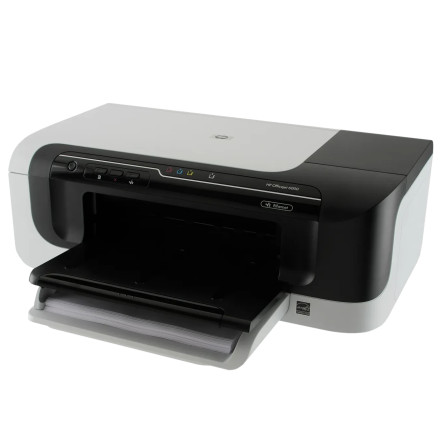
The HP Officejet 6000 is an inkjet printer designed for everyday home and small-office printing. To use the printer with a Windows computer, install the appropriate HP printer software and driver package. The full software package includes the necessary printer drivers and utilities to configure the printer and access its printing features.
Driver Installation
- Download
OJ_SF_6000_E609_Full_Win_WW_140_408-4.exe. - Double-click the downloaded file to launch the HP installer.
- Follow the on-screen instructions to install the printer software.
- Connect the HP Officejet 6000 when prompted, using a USB cable or the supported network connection.
- Once installation is complete, print a test page to verify that the printer is working correctly.
Note: If Windows does not automatically detect the printer, check the USB connection or network settings and restart the printer before attempting installation again.
HP Officejet Full Feature Software and Driver
File: OJ_SF_6000_E609_Full_Win_WW_140_408-4.exe
SHA-256 Checksum:
d6257b963399629627622c8f90dd0288cc849366c308d1abcca189bd28c00b45
HP Officejet Full Feature Software and Driver
File: OJ6000vE609_Full_14.exe
SHA-256 Checksum:
abd3cbec3e54d7da77daf20099f7da4dbf30be471da3c04350587a0f8acfa935
HP Officejet Basic Print Driver
File: OJ6000vE609_Basic_14.exe
SHA-256 Checksum:
8d8368137f5996f1fc7225a19c1079f6e588a4f275026f33def98a06909c7a29
All Model numbers for this device
- HP 920 Black Officejet Ink Cartridge
- HP 920 Cyan Officejet Ink Cartridge
- HP 920 Magenta Officejet Ink Cartridge
- HP 920 Yellow Officejet Ink Cartridge



