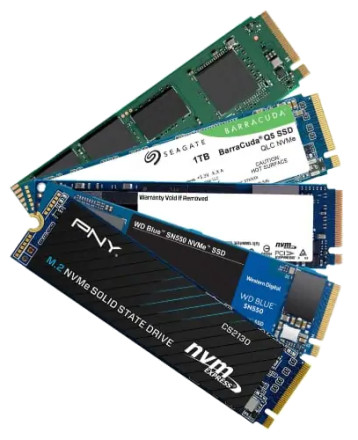
NVM Express (NVMe) is an open, logical-device interface specification for accessing a computer's non-volatile storage media usually attached via PCI Express (PCIe) bus. The acronym NVM stands for non-volatile memory, which is often NAND flash memory that comes in several physical form factors, including solid-state drives (SSDs), PCI Express (PCIe) add-in cards also M.2 cards. NVM Express, as a logical-device interface, has been designed to capitalize on the low latency and internal parallelism of SSD's.
For storage devices that are attached to the PCIe and M.2 slots a driver is required to fully utilize parallel speed and enhanced queuing technology. All latest versions of Windows already have these drivers included with the exception of Windows 7 & Windows Server 2008R2. These are downloads that can be accessed below. Samsung (and other brands) NAND M.2 Drives do have a separate NVMe driver packages for all operating systems, We haven't found information that suggests that there is a advantage using Samsung's NVMe drivers.
Installing the hotfix on Windows 7 will only let you see an additional NVMe drive, to install Windows 7 on a new NVMe drive, you will need to create new installation media with the hotfix already applied. This is not outlined here, rather read the documentation link below by Microsoft.
Microsoft's documentation is here: Update to add native driver support in NVM Express in Windows 7 and Windows Server 2008 R2
DON'T INSTALL ON PRODUCTION SYSTEM OR SERVER, the hotfixes are no long supported by Microsoft, use at you OWN RISK.
Windows 7 NVMe Hotfix (KB2990941)
File: Windows6.1-KB2990941-x64.msu
d1acbdd8652d6c78ce284bf511f3a7f5f776a0a91357aca060039a99c6a93a16
Windows 7 NVMe Hotfix (KB2990941)
File: Windows6.1-KB2990941-x86.msu
418beb533f542024518d0a6490f70565f9fb4ded066478f329d4f79647a644d1



