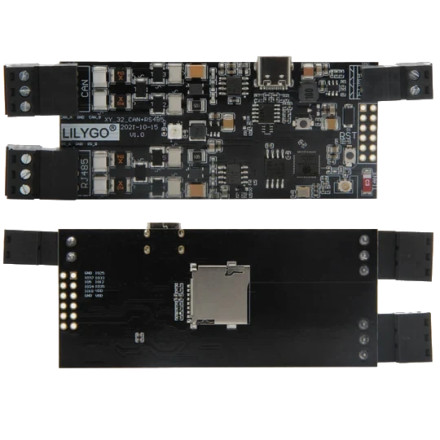
🏗️ Manufacturer
#️⃣ Model No.
T-CAN485
Also Known As
ESP32 CAN RS-485 IOT Engineer Control Module Development Board
CPU/Chipset(s)
Interface/port(s)
The LILYGO T-CAN485 Development Board uses a WCH CH9102 USB-to-TTL serial converter to provide USB communication between a Windows computer and the board’s ESP32 microcontroller. Windows requires the appropriate CH9102 USB serial driver to recognize the board and create a COM port for programming, serial monitoring, debugging, and communication with compatible development software.
4 Quick Steps to Install the CH9102 Driver
- Download the CH9102 Windows driver and save the installation package to your computer.
- Run the driver installer and follow the on-screen instructions to complete installation.
- Connect the T-CAN485 to the computer using its USB connection.
- Open Device Manager and expand Ports (COM & LPT). The CH9102 should appear as a USB serial COM port that can be selected in Arduino IDE, PlatformIO, or other serial software.
Note: The CH9102 driver provides the USB-to-serial connection. It does not provide Windows drivers for the board's CAN or RS-485 interfaces; those functions are controlled by the ESP32 and the board's firmware.



