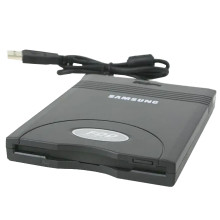
Here’s how to install the SFD-321u on Windows 11/10:
- Connect the SFD-321u floppy drive to your PC.
- Open Device Manager.
- Under Other Devices, locate the SFD-321u entry.
- Right-click it and select Update Driver.
- Choose Browse My Computer for Drivers.
- Select Let me pick from a list of available drivers on my computer.
- Click Show All Devices, then press Next. (This step differs from Windows 7.)
- Wait for the manufacturer list to load, then scroll to NEC Systems.
- Under Model, select NEC USB Floppy and click Next.
- Accept the compatibility warning by clicking Yes.
- After a moment, you should see Windows has successfully updated your drivers. Click Close.
The drive will now appear as NEC USB Floppy under USB Controllers and should automatically mount as the A:\ drive in File Explorer.



