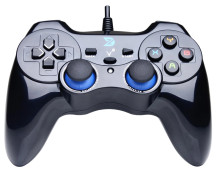
🧱 Device
#️⃣ Model No.
ZD-V108
Interface/port(s)
Drivers are installed into "C:\Windows\USB Vibration" the only thing these drivers do is enable the vibration, which seems to be a big problem with Windows 8+. You may have to have to make some modifications, or rename existing files to get the Joystick control panel to work.
USB Vibration Gamepad Driver
File: HV-G69-Single USB Gamepad.exe
SHA-256 Checksum:
9633f28222499ee0916324a715523960bdd3c5167195744665d7c6f5a399d4e6
USB Vibration Joystick Driver
File: VL807USB Vibration Joystick(4a12k)3.60.exe
SHA-256 Checksum:
4f54ad1aa583fe061127cb71bdc000f460ff6a1c3595674660e5ba8b888be5d4



