🧱 Device
🏗️ Manufacturer
Version:
30.0.100.9805
30.0.101.1660
30.0.100.9862
Operating System(s)
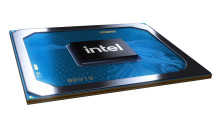
When it comes to modern Intel Graphics drivers, don’t mess about looking for drivers, go directly to Intel’s website and download them, they are regularly updated. Direct links to the exact drivers for the Intel Iris Xe MAX Graphics graphics chip are below.
Intel Graphics – Windows 10 & Windows 11 DCH Drivers
File: igfx_win_101.1660.zip
SHA-256 Checksum:
497c7f4f77190c43e8203d579a1601199d0886a194861112b19e5e1b8ccf7b85
Intel Graphics – Windows 10 & Windows 11 DCH Drivers
File: igfx_win_100.9805.exe
SHA-256 Checksum:
2168c99808e806b9095203ca5d9724d479f1cc8768660e60a1377279c863e4b6
Intel Graphics - BETA Windows 10 DCH Drivers
File: igfx_win_100.9862.exe
SHA-256 Checksum:
1d48d4ee973ff32346021d03c61fca48338fa82e80c4be82b48aec1982e2a132
Install Instructions
Windows 10 & Windows 11:
Windows 10* (RS5), Windows 10* (19H1), Windows 10*, Windows 11*, Windows 10, 64-bit*, Windows 10* (19H2), Windows 10* (20H2), Windows 10* (20H1), Windows 10* (21H1)