🧱 Device
🏗️ Manufacturer
#️⃣ Model No.
HyperPen 8000
Interface/port(s)
UPC
653886000697
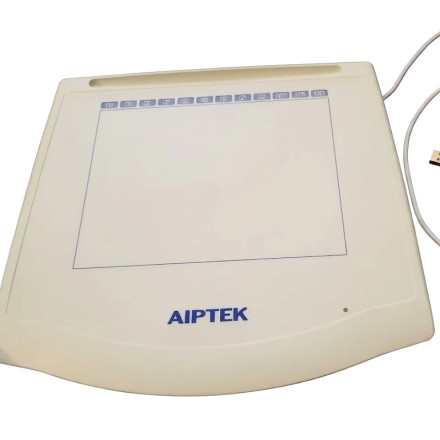
The AIPTEK Hyper Pen 8000 was a classic graphics tablet designed for late 90's Windows computers, providing pressure-sensitive pen input for drawing, handwriting, photo editing, and digital artwork. Its USB interface connected the tablet to a PC, while dedicated drivers enabled pen tracking, pressure sensitivity, programmable buttons, and proper compatibility with supported Windows operating systems. Windows 10 this device requires no additional drivers.
4 Quick Installation Steps
- Download the AIPTEK Hyper Pen 8000 driver ZIP file below for your OS.
- Extract the ZIP file to a folder on your computer.
- Open the extracted folder and double-click
Setup.exe. - Follow the on-screen instructions to complete the driver installation, then restart Windows if prompted
AIPTEK Hyper Pen Driver
File: win2000-hyperpen-usb.zip
SHA-256 Checksum:
571e03eecfdf62bba7e6b5e5223b515b81136f9f9056a7ff7bdfb98ee4dcca67
AIPTEK Hyper Pen Driver
File: win9x-hyperpen-usb.zip
SHA-256 Checksum:
019bd6185d6239593bc6d011892a6424ba488e994c87fc81017fa4907c7d46ac
AIPTEK Hyper Pen Driver
File: winnt-hyperpen-usb.zip
SHA-256 Checksum:
ec4c32277d3c96ec3d06c19b1b35c4a58646142bf84a929406c0d728e2becdbf



