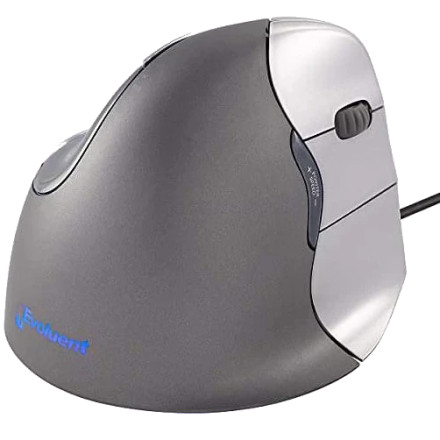
Device
Manufacturer
Model No.
VM4R
VM4L
Interface/port(s)
The Evoluent VerticalMouse 4 is an ergonomic USB mouse designed with a vertical hand position that helps reduce wrist rotation during computer use. It features multiple programmable buttons, a thumb-operated control, adjustable pointer speed, and a dedicated driver for configuration.
4 Quick Installation Steps
- Download the
EvoSetup-6.0.9.3.msiinstaller. - Open the downloaded folder and double-click the
EvoSetup-6.0.9.3.msifile. - Follow the on-screen installation instructions and accept the prompts.
- Restart Windows if prompted, then open Evoluent Mouse Manager to configure your VerticalMouse 4.
Evoluent Mouse Manager
File: EvoSetup-6.0.9.3.msi
SHA-256:
e514ca7d8df9eb0fdbe00c7d32d4af20b034b45524a9a09be415dfab819abbd6



