
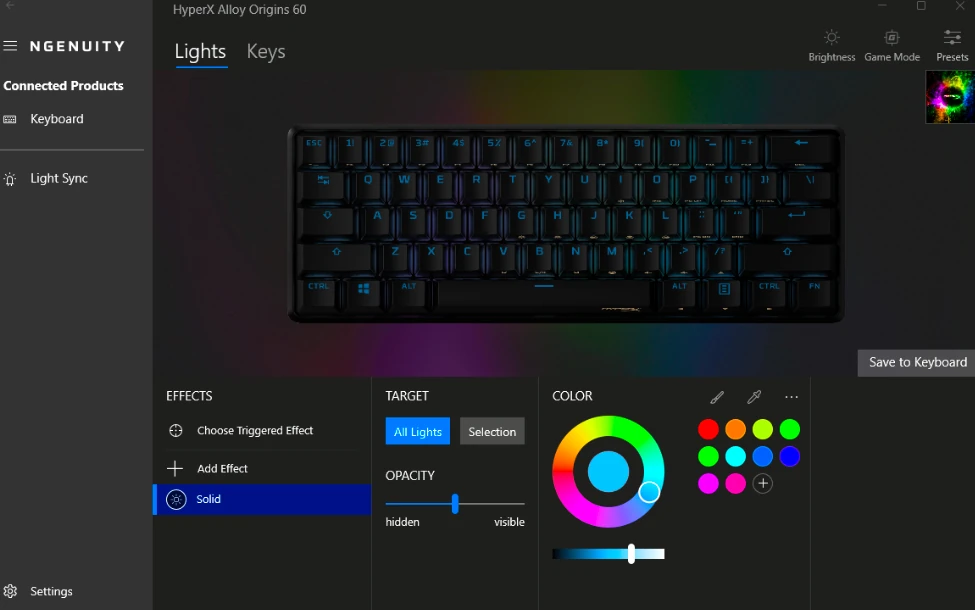
HyperX NGENUITY is a customization utility for supported HyperX gaming peripherals, including keyboards, mice, headsets, and microphones. It provides controls for RGB lighting effects, button assignments, macros, audio settings, and device profiles.
The available download includes HyperX NGENUITY Installer version 3.2.0, along with older releases for users who need compatibility with previous HyperX devices or prefer an earlier software version.
Available Downloads
- Latest listed version:
HyperX_NGENUITY_Installer.exe(3.2.0) - Older versions: Additional releases are available on this page for compatibility with supported legacy devices.
Installation
- Download the HyperX NGENUITY installer or an older version if required.
- Run
HyperX_NGENUITY_Installer.exeto start installation. - Follow the on-screen instructions to complete setup.
- Connect your compatible HyperX peripheral.
- Launch NGENUITY to configure lighting, buttons, macros, and other supported features.
Compatibility: Windows 11 and Windows 10.
Image
HyperX NGENUITY Installer
File: HyperX_NGENUITY_Installer.exe
SHA-256 Checksum:
b3b20b69eec2d244ebcf7c5eec2c406efcc58f9a060da3f5a759f63892a2d339
HyperX NGENUITY Installer
File: HyperX_NGENUITY_Installer_2.38.0.0.exe
SHA-256 Checksum:
19d5744a6781130f9354cf455c16959eef8756ff683ff56cbd48ce9e50cff804
HyperX NGENUITY Installer
File: HyperX_NGENUITY_Installer_2.25.7.0.exe
SHA-256 Checksum:
3c8e2ecc3ac9f0b7eee6a2680300c43e08b4896fa4a461d848b57adf72786a18



