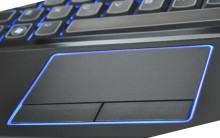
Synaptics touchpad is the most commonly used touchpad device that is installed in laptop/notebook devices from many manufactures like Dell, Lenovo, IBM, Toshiba, Acer, ASUS and many others. After a re-installation of an operating system there is a chance that the drivers supplied with the OS may not allow the touchpad to function properly or not work at all.
Another time that the drivers can stop functioning for the touchpad device is after Windows 10 updates which can drop other devices too especially sound devices.
Drivers are available on the individual Laptop manufactures websites which in many cases is a sufficient fix for these Touchpad issues. However, there are also devices that have no support from the OEM so a generic driver package may be of benefit. These generic drivers are available below.
Synaptics Touchpad Driver
File: Touchpad_Synaptics_19.0.25.10_W10x64_A.zip
d544abf7bc444449faabee79b097e89095a4b2a9d574c8c9c09b61ea38079832
Synaptics Touchpad Driver
File: Touchpad_Synaptics_19.0.25.9_W10x64_A.zip
7374c7f0b915c1ab8fb262f36b3e2865d075e474d30b3ff4ace343a56f4fad1f
(DELL) Synaptics Touchpad Driver
File: Synaptics_v19_2_17_59-Win10-x64.cab
5dc852736adeea0192e73c5acf1587f978a7ed62143bfb3f5d34ca31891a70fd



