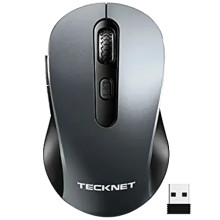
Device
Manufacturer
Model No.
EWM01769
🔋Battery
Frequencies
Port(s)
This mouse requires the included Nano Wireless Dongle that is included, there is no other way to connect this device.
- Insert the receiver into an available USB port on your computer.
- Turn on the mouse by pressing the power button on the bottom of the device.
- The mouse will automatically pair with the receiver, and you can start using it right away.
- To customize the mouse settings, refer to the user manual for instructions on adjusting the DPI sensitivity or programming the Forward and Back buttons.
- If the mouse stops working, try replacing the batteries or re-pairing it with the receiver.



