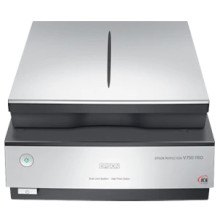
The Epson Perfection V750 Pro Scanner relies on drivers to establish a seamless connection between the scanner and your device. Available through Epson's official website or direct link below, these drivers ensure optimal functionality and compatibility with operating systems like Windows and macOS. Renowned for its professional-grade scanning capabilities, the V750 Pro offers an impressive optical resolution of 6400 dpi and Dual Lens System for exceptional image quality.
The drivers empower users to maximize the scanner's versatility, supporting various scanning modes including film scanning utilizing its transparency unit. Additionally, they enable integration with imaging software for comprehensive photo restoration and enhancement, making it an ideal tool for photographers and creative professionals. Regular updates to these drivers are crucial, ensuring sustained performance, improved compatibility, and ongoing support for evolving operating systems and software environments.
Scanner Driver and EPSON Scan Utility
File: Perf_V700_750 EScan_3.9.2.2.exe
f417bc32ee41b8397c45fc6588622493feb123f48733bfa8b973e6c64bf1d0b0
Scanner Driver and Epson Scan 2 Utility
File: V700_V750_EScan2_6645_AM.dmg
c97cdfba300052b6a918255e9f0a5fb5e320c33da5b28db4eebde7a5d893064b



