🧱 Device
🏗️ Manufacturer
#️⃣ Model No.
fi-7160
PA03670-B085
PA03670-B055
Interface/port(s)
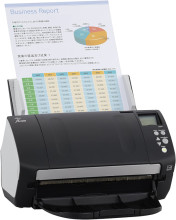
The Fujitsu fi-7160 is a high-speed document scanner that supports both TWAIN and ISIS driver interfaces. These drivers allow compatible scanning applications to communicate with the scanner and provide document capture functionality. Two separate driver packages are available, depending on the scanning software being used.
Available Drivers
- TWAIN Driver:
PSIPTWAIN-3_0_2.exe - ISIS Driver:
PSIPISIS-LX5-3_0_2.exe
Installation
- Download the appropriate driver package for your scanning application.
- Double-click the downloaded
.exefile to start the installer. - Follow the on-screen instructions to complete installation.
- Connect the Fujitsu fi-7160 scanner using its USB connection.
- Open your scanning application and select the installed TWAIN or ISIS driver.
Note: TWAIN and ISIS are separate scanner interfaces. Install the driver required by your scanning software; both are not necessarily needed.
Compatibility: Windows 11 and Windows 10.
PaperStream IP (TWAIN) Driver
File: PSIPTWAIN-3_0_2.exe
PaperStream IP (ISIS) Driver
File: PSIPISIS-LX5-3_0_2.exe