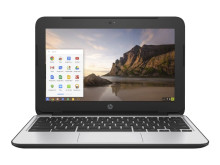
It is possible to install Windows on some Chromebooks such as the HP Chromebook 11 G4, the procedure isn't the same as with standard laptops that have been designed directly for Windows.
As there are places on the web that go into the technical side of the installation and firmware requirements, we will only briefly go over links to other tutorials and modified drivers by coolstar.org will be also below.
Custom Firmware:
Ultrabook to Chromebook Reddit community:
https://www.reddit.com/r/chrultrabook/
In particular read:
https://www.reddit.com/r/chrultrabook/comments/aufp1q/getting_started_read_this_first
Interactive setup and driver download:
https://coolstar.org/chromebook/windows-install.html
Good luck, this will void any warranties, will purge all data on the device and has a good chance at bricking the device. Proceed with caution.
Intel Chipset Driver
File: BayTrailChipsetDriver-Lenovo.exe
8f7d98f186fb55162243ae783d83ce998746b8fde09b21e973d69347c5511dfe
Touchpad drivers
File: crostouchpad.4.1.1-nosmb-installer.exe
fae76798a3de89aa12aa36e3e81f91474006017b4717f78f9282a5bf29b6610d



