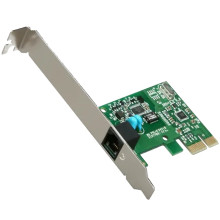
🧱 Device
🏗️ Manufacturer
#️⃣ Model No.
PCI-SV92EX
Interface/port(s)
Port(s)
To install the drivers for the LSI PCI-SV92EX Soft Modem for Windows 7 32-bit, download the ZIP file below and extract it to a convenient location. Open Device Manager, locate the modem (or the unknown device), select Update Driver, choose Browse my computer for drivers, then point Windows to the extracted folder. Complete the installation and restart your computer if prompted.
LSI PCI-SV92EX Soft Modem Drivers
File: Modem_LSI_2.2.100_W7x86_A.zip
SHA-256 Checksum:
ac1383c6f1514811e8aea1693754f8ccdd1207cf706c9ab491e7ef01682a2ebb



