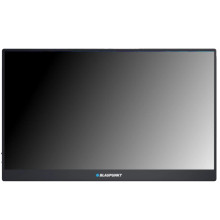
🧱 Device
🏗️ Manufacturer
#️⃣ Model No.
BP15PM60
Interface/port(s)
Video Technology
Blaupunkt BP15PM60 15.6" Full HD Portable Monitor – Quick Troubleshooting
- No Power: Ensure the USB-C power cable is securely connected. If powered from a laptop, try a USB-C power adapter, as some USB ports cannot supply enough power.
- No Signal: Verify the correct input source (USB-C or Mini HDMI) is selected. Reseat both ends of the video cable and try another cable if available.
- USB-C Not Working: Confirm your device's USB-C port supports DisplayPort Alt Mode. Many USB-C ports only provide charging or data.
- Poor Image or Flickering: Set the display to its native resolution of 1920×1080 at 60 Hz, then update your graphics driver.
- Reset Display: Use the monitor's OSD menu and select Reset or Image Auto Adjust to restore factory display settings.
📖Documentation/Manuals:



