🧱 Device
🏗️ Manufacturer
#️⃣ Model No.
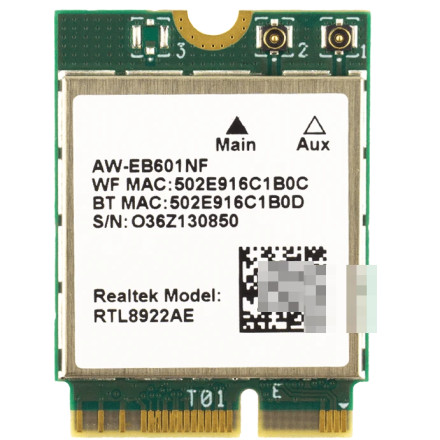
AW-EB601NF
CPU/Chipset(s)
🛜 Network Technology
Interface/port(s)
FCC ID
TX2-RTL8922AE
ICID
6317A-RTL8922AE
Operating System(s)
The AzureWave AW-EB601NF is a Wi-Fi 7 wireless module designed to provide high-speed wireless networking in compatible computers and devices. Its drivers enable Windows to recognize and communicate with the adapter, supporting wireless connectivity, improved throughput, and modern Wi-Fi features, in most cases drivers automatically install but they can also be manually installed below.
Quick Install — Realtek RTL8922AE Driver
- Download
Realtek-RTL8922AE-Driver.zipand save it to your PC. - Extract the ZIP file to a folder.
- Open the extracted folder and using the device manager manually update the driver by browsing to netrtwlane711.inf file.
- Restart Windows after installation, then check Device Manager to confirm the adapter is working.
Realtek Wireless LAN Driver
File: Realtek-RTL8922AE-Driver.zip
SHA-256 Checksum:
fbc1aba3058dd4badd7172086146b81de5a2c5a75ac4dec04a372a83bab88793



