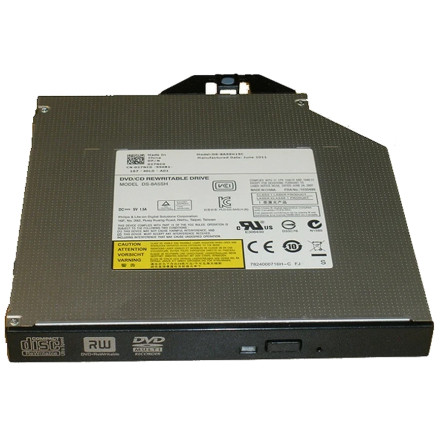
The PLDS DS-8A5SH is a 12.7mm SATA tray-loading DVD-RW optical drive. The firmware update package SA5_XD11.zip contains firmware revision XD11 and includes two utilities to assist with the firmware upgrade process: XD11WIN.EXE for Windows and XD11DOS.EXE for DOS.
Firmware Update Files
| File | Description |
|---|---|
SA5_XD11.zip | Firmware update archive |
XD11WIN.EXE | Windows-based firmware update utility |
XD11DOS.EXE | DOS-based firmware update utility |
How to Update the Firmware
Windows method:
- Download
SA5_XD11.zipand extract its contents. - Close any applications currently using the DVD drive.
- Run
XD11WIN.EXEas administrator. - Follow the on-screen instructions to perform the firmware upgrade.
- Do not interrupt the update or turn off the computer while the firmware is being written.
DOS method:
The package also includes XD11DOS.EXE for performing the firmware update from a DOS environment. This provides an alternative to the Windows-based updater.
Important Firmware Update Notes
- Confirm that the optical drive is identified as a PLDS DS-8A5SH before proceeding.
- Firmware updates should only be applied to the exact supported drive model.
- Do not disconnect power or interrupt the process during the update.
- A failed or interrupted firmware update can render the optical drive unusable.
The Windows utility is the more convenient option when updating from a compatible Windows installation.
PLDS DS-8A5SH 12.7 SATA Trayload DVDRW Firmware Update
File: SA5_XD11.zip
34a9e5d1660d8fadf1d4a503383cd999ccdae261d88f42220a7365bf436c64b6
All Model numbers for this device
This Optical drivers was installed in the following Dell Systems:
Inspiron 14 N4050
Inspiron 15 N5040
Inspiron 15 N5050
Inspiron 15R N5110
Inspiron M5040
Inspiron Zino HD 410
OEMR R5500
OptiPlex 7010 (End of Life)
OptiPlex 9010
OptiPlex 9010 All-In-One
Vostro 1540
XL 9010
XPS 15 L501X
XPS 17 L701X