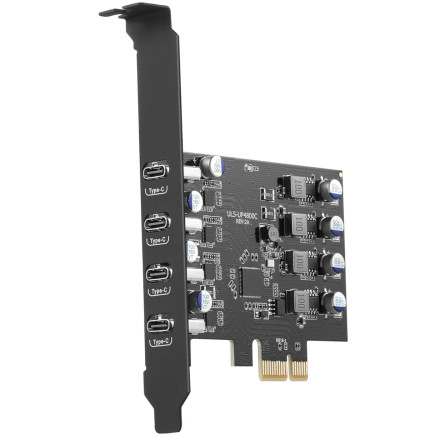
🧱 Device
🏗️ Manufacturer
#️⃣ Model No.
ULS-UP4800C
CPU/Chipset(s)
Interface/port(s)
Port(s)
ASIN
B0H7RQWVKG
Operating System(s)
The YEELIYA ULS-UP4800C is a four-port USB 3.0 PCIe expansion card designed to add additional USB connectivity to a desktop computer. The RENESAS-USB3-Host-Driver-30230-setup.exe package provides the Renesas USB 3.0 host controller driver for compatible Windows systems. Modern versions of Windows 10 and Windows 11 typically recognize USB expansion cards automatically using built-in drivers, so a separate installation may not be necessary if the card is already working correctly.
Driver Installation
- Download
RENESAS-USB3-Host-Driver-30230-setup.exeand save it to your computer. - Locate the downloaded file, right-click it, and select Run as administrator.
- Follow the installation prompts to install the Renesas USB 3.0 host controller driver.
- Restart Windows if prompted to complete the installation.
- Open Device Manager and check under Universal Serial Bus controllers to confirm the USB controller is detected.
Note: If the card and its USB ports are already working correctly, you typically do not need to install a separate driver on Windows 10 or Windows 11.



