🧱 Device
🏗️ Manufacturer
#️⃣ Model No.
ATP-23
Interface/port(s)
Operating System(s)
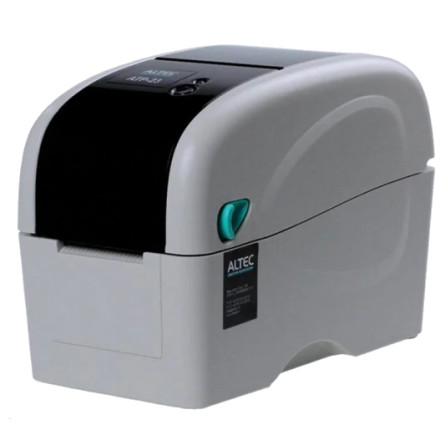
The ALTEC ATP-23 is a thermal label printer designed for printing product labels, barcodes, shipping labels, and other identification tags without requiring traditional ink or toner cartridges. The Windows 11 and Windows 10 driver package provides the communication interface between the printer and your computer, allowing supported applications to send print jobs and configure printer settings.
Driver installation
- Download and extract
Altec_printer_driver_10.0.3.zipusing Windows or 7-Zip. - Alternatively, run
Altec_printer_driver_10.0.3.exeto start the installer. - Follow the installation instructions and connect the ATP-23 when prompted.
- Open Settings → Bluetooth & devices → Printers & scanners and verify that the ALTEC ATP-23 is listed.
- Print a test label to confirm that the printer is working correctly.
Altec ATP-23 Driver
File: Altec_printer_driver_10.0.3.zip
SHA-256 Checksum:
280ed6bf0d93decd022deb18a09554cf0d92c581ec02066b1738f0fa80ad8710
Altec ATP-23 Driver
File: Altec_printer_driver_10.0.3.exe
SHA-256 Checksum:
b481ece329ca8eb3c6b4bfaaf161ee3e3073d30444414bb68c244eda9555d875
Altec Printer Utility
File: Printer-Utility_V3.2.6.1.zip
SHA-256 Checksum:
4f3ed6e31c7a6c206e61007b8f7b34b3f3e5e08d000ff4ef86a98a1157eeeb4e
HWID(s)



