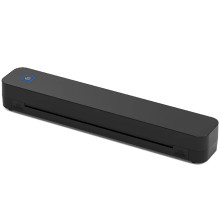
Device
Model No.
C80S
Also Known As
Netum C80S Bluetooth Thermal Tattoo Printer
KNAON Professional Tattoo Stencil Printer
Network Technology
Operating System(s)
Windows 11 / Windows 10
- Download the Driver
Download A4-Windows-Driver-Latest_Ver1.2.5.0.exe to your computer. - Install the Driver
Run the installer and follow the on-screen instructions. Restart your PC if prompted. - Pair the Printer
Turn on the C80S Bluetooth Thermal Tattoo Printer and pair it through Settings → Bluetooth & devices. - Print a Test Page
Open Settings → Bluetooth & devices → Printers & scanners, select the C80S printer, and print a test page to verify the installation.
macOS
- Download the Driver
Download A4 Printer Driver Installer Ver1.2.7.pkg. - Install the Driver
Open the.pkgfile and complete the installation. You may be asked to enter your administrator password. - Add the Printer
Turn on the printer, pair it via System Settings → Bluetooth, then add it under System Settings → Printers & Scanners if it is not added automatically. - Verify Operation
Print a test page or document to confirm the printer is installed correctly and communicating over Bluetooth.
C80S Bluetooth Thermal Tattoo Printer Driver
File: A4-Windows-Driver-Latest_Ver1.2.5.0.exe
SHA-256:
d567d4d90864bfaf4890e87f2094c96b81046f47c862be38f443be7fe8dd50d6
C80S Bluetooth Thermal Tattoo Printer Driver
File: A4-Windows-Driver-Latest_Ver1.2.4.6.exe
SHA-256:
c31bbd053a4f4345b792542562095c525053d7f3d1541d317f4618afef2130c7
C80S Bluetooth Thermal Tattoo Printer Driver
File: A4 Printer Driver Installer Ver1.2.7.pkg
SHA-256:
b33d07c2489c2e68f749cf2b9a3aaa1ae920e878e220b60fae52961b46a98b5d
C80S Bluetooth Thermal Tattoo Printer Driver
File: A4 Printer Driver Installer Ver1.2.4.pkg
SHA-256:
6e4187ed90383f36ed54ce96c293636649d2ea05696768df2695b919d084c08d



