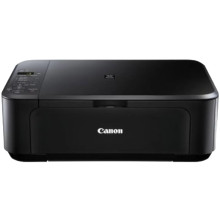
Device
Series
Manufacturer
Model No.
5288B006
Interface/port(s)
Drivers for the Canon Pixma MG2150 can be download for Windows 11, 10, 8.1, 8, 7, Vista and XP. Drivers haven’t been updated in a number of years but the drivers work on Windows 11 no issues. To install simply download the driver packages below that are in a .exe format and save these to a location on your computer where you can later access and run as an administrator and follow the prompts.
Canon MG2100 Series MP Driver
File: mp68-win-mg2100-1_02-ea24.exe
SHA-256:
4149e764d82d63f0f0b45d0272ec69cd354f390738df7c37f0c100a4ed89ccbd
Canon MG2100 series XPS Printer Driver
File: xp68-win-mg2100-5_56a-ea24.exe
SHA-256:
27d4fb76c58c69e8c8f609f228ef5145d21e59a116931784e1e7327d9f09ff53



