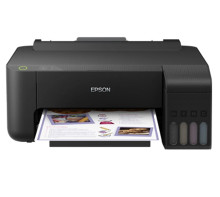
🧱 Device
🏗️ Manufacturer
#️⃣ Model No.
L1118
Interface/port(s)
UPC
6937942615952
The Epson L1118 is a USB ink tank printer that uses the Epson L1110 Series driver package. This installation file supports 64-bit Windows systems and can be used to install the printer driver on compatible Windows 10 and Windows 11 computers.
Installation
- Download
L1110_x64_26102JAUsHomeExportAsiaML.exefrom the driver link below. - Double-click the downloaded file to launch the Epson installer.
- Follow the on-screen instructions and connect the printer by USB when prompted.
- Complete the installation and print a test page to verify that the printer works.
Note: This package is for 64-bit Windows. The L1118 uses the L1110 Series driver, but confirm compatibility with your regional printer model before installing.
Printer Driver
File: L1110_x64_26102JAUsHomeExportAsiaML.exe
SHA-256 Checksum:
9a52c7d2bb579cad0aa4f9667be316d02df8d006d5404827927686ae8cda0834
Printer Driver
File: L1110_x86_26102JAUsHomeExportAsiaML.exe
SHA-256 Checksum:
428ac57182332e77d569fe6c0524fb817c10db21d97d836dc8743b5dd7b96cb1



