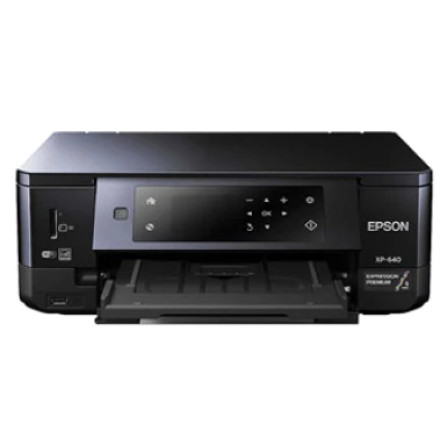
Download the Epson Expression Premium XP-640 printer drivers and scanner software for Windows. The available installation packages include separate 32-bit and 64-bit printer drivers, along with Epson Scan 2 software for the scanner function. Install the package that matches your Windows architecture to enable printing and scanning capabilities.
Available Downloads
| File | Description |
|---|---|
XP640_X64_260_NA.exe | Printer driver for Windows 64-bit |
XP640_X86_260_NA.exe | Printer driver for Windows 32-bit |
XP640_EScan2_6210_NA.exe | Epson Scan 2 software for Windows 32-bit and 64-bit |
Installation Instructions
- Check whether Windows is running a 32-bit or 64-bit operating system.
- Download the appropriate XP-640 printer driver.
- Run the downloaded executable and follow the installation instructions.
- Connect the printer using USB or configure it over your wireless network when prompted.
- To enable scanning, download and install
XP640_EScan2_6210_NA.exe. - Restart Windows if requested and test printing and scanning.
Important: The printer driver and scanner software are separate installations. Installing the printer driver enables printing, while Epson Scan 2 provides the software needed to use the XP-640's scanning functions. Both printer driver versions are not required; install only the one matching your Windows architecture.
Epson Printer Driver
File: XP640_X64_260_NA.exe
32e5f41a4d948611ce7eb5e5f47268678f98ecb5ded56b1ca989285daa6870ec
Epson Printer Driver
File: XP640_X86_260_NA.exe
6ff86619815883e57e577b5c11732b1854222e497007ec1d59551348f831d0c2
Epson Scanner Driver and Epson Scan 2 Utility
File: XP640_EScan2_6210_NA.exe
4797f93a20db0a7dad3e362d9760964cb11908752ba9972ac168760639c83065