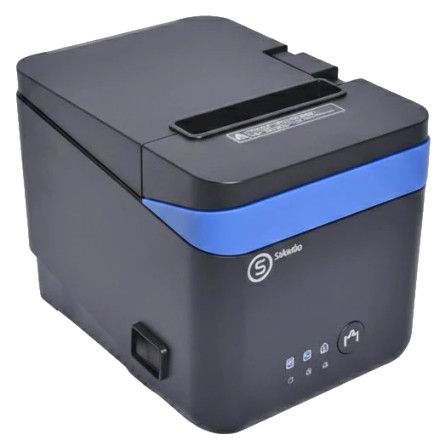
Device
Model No.
GP-C80180IIN
Also Known As
SKADOO POS80CII
Interface/port(s)
Operating System(s)
The Gprinter GP-C80180IIN is a thermal receipt printer that uses the GP 80 Receipt Series Universal Driver for Windows. Install the printer software using GP_80_Receipt_Series_Universal_Driver_V1.0.exe. The driver allows Windows to communicate with the printer for receipt printing in supported applications.
Installation steps
- Download
GP_80_Receipt_Series_Universal_Driver_V1.0.exe. - Run the installer and follow the on-screen instructions.
- Connect the printer via USB or the appropriate supported interface when prompted.
- Open Settings → Bluetooth & devices → Printers & scanners in Windows 11, or Settings → Devices → Printers & scanners in Windows 10, and confirm the printer is listed.
Gprinter 80mm Universal Driver
File: GP_80_Receipt_Series_Universal_Driver_V1.0.exe
SHA-256:
74df21b8da136ffd1e32ff87d2f0eabcfc86be7479b2b1ee4de8540cc2afe428



