🧱 Device
🏗️ Manufacturer
#️⃣ Model No.
E4W44A
Interface/port(s)
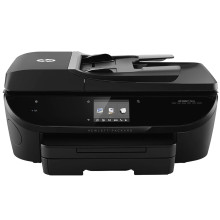
The HP ENVY 7645 is an all-in-one inkjet printer supporting printing, scanning, and copying. It provides wireless and USB connectivity for home and office use.
Install Full_Webpack-40.15.1230-EN7640_Full_Webpack.exe
- Download Full_Webpack-40.15.1230-EN7640_Full_Webpack.exe to your Windows computer.
- Double-click the
.exefile to launch the HP installation wizard. - Follow the prompts and select USB or Wireless connection when requested.
- Complete the installation, then print a test page to verify the HP ENVY 7645.
Basic drivers for just printing can be found in the Envy 7640 Series page.
HP ENVY 7640 Full Feature Software and Drivers
File: Full_Webpack-40.15.1230-EN7640_Full_Webpack.exe
SHA-256 Checksum:
9a0e15dc3cd01820651624dcf413ffe768d862b0cc0d30866dec81f9b17fe34b
➕ Additional Drivers:



