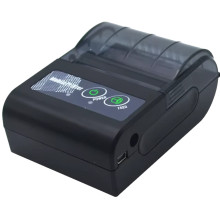
Minjcode MJ5890 Thermal POS Receipt Printer Quick Setup
- Install the Driver (Below)
Download and run the MJ5890 Windows printer driver, then follow the installation wizard to complete setup. - Connect the Printer
Connect the printer using the USB cable or pair it via Bluetooth, then power it on. Windows should detect the device automatically after the driver is installed. - Add the Printer
Open Settings → Bluetooth & devices → Printers & scanners, select Add device, and choose the Minjcode MJ5890 if it is not added automatically. - Print a Test Receipt
Open Printer Properties and print a test page, or print a receipt from your POS software to confirm the printer is communicating correctly.



