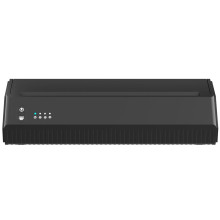
Device
Manufacturer
Model No.
MHT-P8008-US
P8008
Network Technology
Interface/port(s)
The USB C Port on this printer is used for both charging the battery and connecting to a PC for printing.
Before Connecting the Printer:
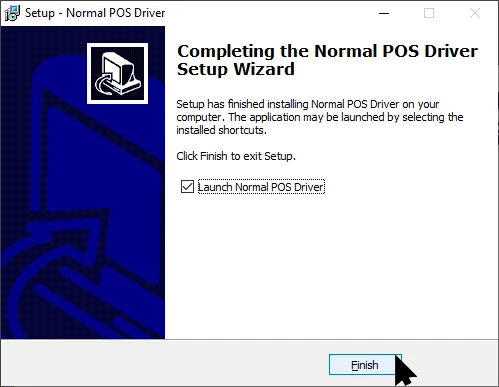
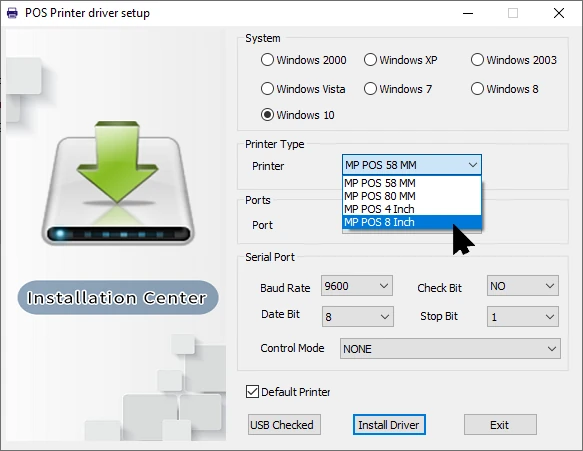
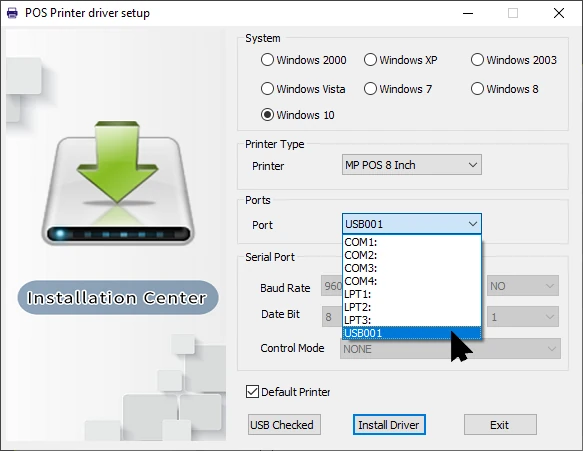
In Windows, download Normal POS Driver VL2.0.3.exe (bottom of this page) and run the install program.
Image
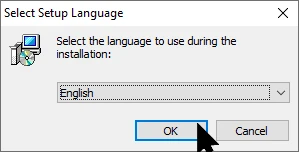
Image
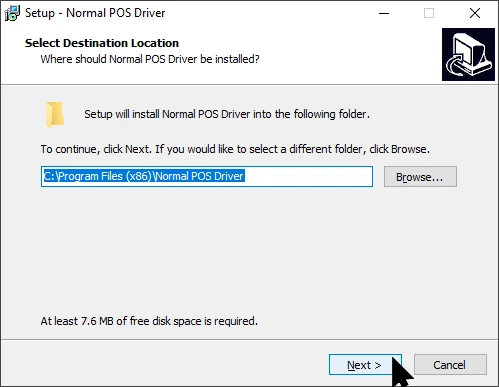
Image
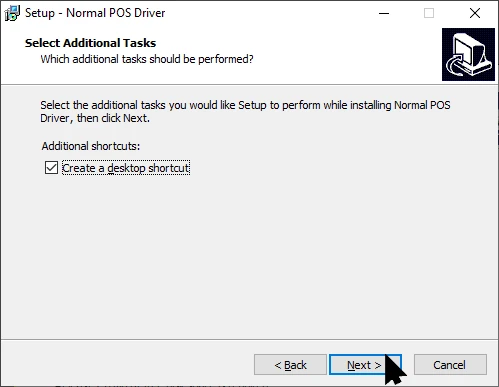
Image
Image
Image
Image
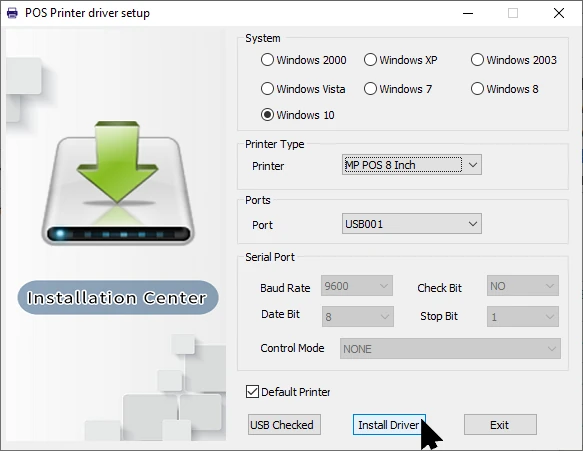
Now you can connect the printer and power it on.
STIGMA MHT-P8008-US Printer Driver
File: Normal POS Driver VL2.0.3.exe
SHA-256:
bc22bea6f881477e7cb70b732db297fd09d74a4fc10b7a1218aef102fe0c2c9e
(Older Version) STIGMA MHT-P8008-US Printer Driver
File: Normal POS Driver VL2.0.1.exe
SHA-256:
c79799166dcfe8839f407263f1b6ecf699288908f60296ca1b4f92e55644e68a



