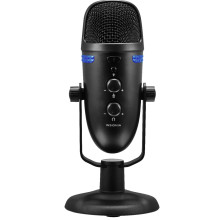
Device
Manufacturer
Model No.
NS-LCBM22
Best Buy SKU: 6451652
Port(s)
SETTING UP YOUR MICROPHONE
- Connecting to your computer
- Connect the USB cable (included) from your microphone to your computer.
- For the best performance, do not connect it to a USB hub.
Windows:
- Open the Control Panel.
- In the upper-right corner, change “View by” to Small icons.
- Click Sound, then click Recording.
- Select Insignia NS-CBM19, then click Set Default. Make sure that there isgreen check mark next to Insignia NS-CBM19.
Click Configure. - Click Set up Microphone, then follow the on-screen instructions.
- (Optional) To adjust the computer’s microphone volume, click Properties.
- When finished, close the Control Panel.
Mac:
- Open the Finder, then select Applications.
- Open System Preferences, then click Sound.
- Select the Input tab, then select Insignia NS-CBM19. Make sure that the mute button isn’t selected.
- When finished, close System Preferences.
📖Documentation/Manuals:



