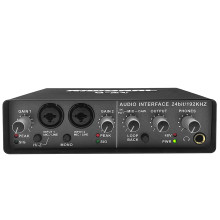
🧱 Device
#️⃣ Model No.
Q-24
Also Known As
B68C
Riworal Q24
Interface/port(s)
Operating System(s)
The TEYUN Q24 is a USB audio interface designed for studio recording, podcasting, and live streaming. Windows 10 and Windows 11 can typically recognize the device using built-in USB audio drivers, so a separate TEYUN driver may not be necessary. For audio recording software that requires ASIO support, you can use the ASIO4ALL driver.
Installation
- Connect the TEYUN Q24 to your computer using its USB cable.
- Check Settings → System → Sound to confirm Windows recognizes the audio device.
- Download ASIO4ALL from the official website or from the link below.
- Install the version appropriate for your system and open your recording software.
- Select ASIO4ALL v2 as the audio driver, then enable the Q24 device in the ASIO4ALL control panel. It may appear as HD-II.
Troubleshooting: If the Q24 does not appear in ASIO4ALL, check that Windows detects it first and that its audio device is enabled. ASIO4ALL provides ASIO support; it is not a dedicated TEYUN hardware driver.
💾Drivers:



