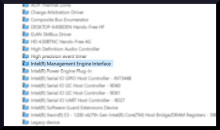
Manufacturer
This system device shouldn’t need a driver as it is supplied by Windows. If it does have an exclamation mark next to it, you could remove the device in the device manager and then scan again and it will re-install. If you need the drivers manually, they are below.
Intel(R) 82802 Firmware Hub Device Driver
File: intel_chipset_SPS_MEI_NULL_v1.2.3.2003.zip
SHA-256:
7af85e69787fce82673e28aa76f1aa36dc93a88ebae862725d7d460b4e5a5472
Intel(R) 82802 Firmware Hub Device Driver
File: machine.inf_x86_neutral_65848c2d7375a720.zip
SHA-256:
eb69e34ab5fc8fc2caf1eef0914ad2c0a8ee5a656c94cd4ccc4df1116b3e7491
Intel(R) 82802 Firmware Hub Device Driver
File: machine.inf_x86_neutral.zip
Intel(R) 82802 Firmware Hub Device Driver
File: machine.inf_x86.zip
SHA-256:
7d41471fdbb7f4f2c96a9e985a0566ba52857297e6cbf0ab89252ea9dcc79d19
Intel(R) 82802 Firmware Hub Device Driver
File: hp_unknowdevice.zip
SHA-256:
b1d10b2a220aadbf3191541d58e72fee40d10c9fbc3a764517ef4645991f4185



