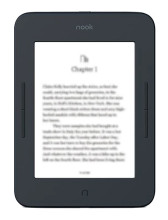
As there are numerous types of Nook devices out there using different hardware it is important to distinguish the different models. Most of the Samsung based readers will show as a mass storage device in Windows, Mac or Windows the Nook device will ask if you want to allow the USB connect computer to access the files on the device. In most cases you are not going to have to download any extra drivers to do any of these tasks. In any case the Samsung based devices can use the drivers below if needed for recover and lower level features.
A valuable resource before you start installing any drivers is to check out Barnes and Nobles Nook support page here: https://help.barnesandnoble.com/hc/en-us/categories/4520922548379-B-N-NOOK-Support
Software updates for the Nook can be done when the device is connected to WiFi these over the air updates improved system stability and add features.
Samsung Android USB Driver
File: SAMSUNG_USB_Driver_for_Mobile_Phones.exe
126142f4e9559cce7fafbb0b940a6ffcde1f9d0669290e8f4d35d635651f9839
Samsung USB Driver v1.7.23.0
File: Samsung-USB-Driver-v1.7.23.0.exe
794a762deedcacdd4c23b25bf3a9b9ecabfe49cdcdc28fc4ec81177afe144f78
Android File Transfer
File: androidfiletransfer.dmg
a5146a143c7bbd6a0b8384a1aa233243b72cca94cbec62aa3d70a82f5b262550
CDC USB Driver (For Flashing Firmware)
File: get-latest_usb_cdc_driver_windows.dln
9a6c9a1c1fb1373544c5df57d4291b30488be5a9766ff86df34847f30891b7aa
VCOM USB Driver (For Flashing Firmware)
File: get-latest_usb_vcom_driver_windows.dln
0a9c855749a45a21009d32ff37ce8110ce80406c26cdecf209881da3c25d737c
ADB and Fastboot Drivers
File: get-latest_usb_adb_driver_windows.dln
36161ed97859359195bca5f489464a0628c6dd85673c6d95bceb380ebe3e5252
Qualcomm USB Drivers
File: get-latest_usb_driver_windows.dln
6f71a3f6451ed68b4feedd9cd399147d02e10fa59112e9e1d061b918c05b0ff3



