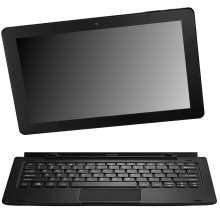
🧱 Device
🏗️ Manufacturer
#️⃣ Model No.
NS-P11A8100
CPU/Chipset(s)
Storage
32 GB
Port(s)
FCC ID
2AIB2-P11A8100
Year
Video Technology
Operating System(s)
Insignia™ NS-P11A8100 11.6" Tablet – Quick Troubleshooting
- Won't Turn On: Charge the tablet with the included USB-C charger for at least one hour, then hold the Power button for 10 seconds.
- Won't Charge: Check the USB-C cable and charger for damage, ensure the charger is plugged into a working outlet, and make sure the USB-C connector is fully seated.
- Wi-Fi Won't Connect: Verify Wi-Fi is enabled, enter the correct password, then restart both the tablet and your router.
- Frozen or Unresponsive: Press and hold the Power button for about 10 seconds to force a restart.
- Keyboard Not Working: Remove and reconnect the detachable keyboard, ensuring the connection contacts are clean and properly aligned.
- Forgot Screen Lock: If recovery options are unavailable, perform a factory reset from Settings > Backup & reset > Factory data reset. This erases all personal data.
If issues persist check out the user manual below or reach out to bestbuy.com as they are the owners of Insignia.
📖Documentation/Manuals:



