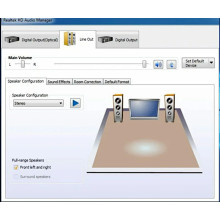
Most ASUS motherboards and Notebooks use Realtek chipsets for audio. Drivers can be found on Realtek’s website, also model specific driver are on the ASUS website. Generic drivers for Realtek HD audio can be downloaded below as well.
ASUS system that are running Windows 10 are prone to issues after updates like many other manufactures that utilizing the Realtek chipsets. Sometimes reinstalling the driver is enough to fix the issues that arise after an update, other the audio device just needs to be re-enabled in the device manager.
Realtek High Definition Audio Driver for Windows 64-bit
File: 0009-64bit_Win7_Win8_Win81_Win10_R282.exe
09784ab2bdfe97eeb085985b0c8a9e9727e882450b7918990b057b62612b967b
Realtek High Definition Audio Driver for Windows 32-bit
File: 0009-32bit_Win7_Win8_Win81_Win10_R282.exe
Intel Package (see device list above)Realtek High Definition Audio Driver
File: AUD_Win10_64_6.0.8716.1.zip
20b8b5438102583f3a42aeb433955bb509a3d43ee54a7b209f9b638ef1896a08
Sony Package (see device list above) Realtek High Definition Audio Driver
File: EP0000551787.exe
0b92e42928cf5a7b2c216113299582325c6a571a49b8f73766f8bf4ff946df21
All Model numbers for this device
Intel devices:
- Intel® NUC 8 Enthusiast, a Mini PC with Windows 10 - NUC8i7BEHGA
- Intel® NUC 8 Enthusiast, a Mini PC with Windows 10 - NUC8i7BEKQA
- Intel® NUC 8 Home - a Mini PC with Windows 10 - NUC8i3BEHFA
- Intel® NUC 8 Home - a Mini PC with Windows 10 - NUC8i5BEHFA
- Intel® NUC 8 Home - a Mini PC with Windows 10 - NUC8i5BEKPA
- Intel® NUC Kit NUC8i3BEH
- Intel® NUC Kit NUC8i3BEK
- Intel® NUC Kit NUC8i5BEH
- Intel® NUC Kit NUC8i5BEK
- Intel® NUC Kit NUC8i7BEH
- Intel® NUC Kit NUC8i7BEK
Sony Devices
This information is for the following models:
- SVD11223CXB
- SVD11223CXS
- SVD11225CBB
- SVD11225CLB
- SVD11225CXB
- SVD11225CXS
- SVD11225CYB
- SVD11225PDB
- SVD11225PXB
- SVD112290S
- SVD112290X
- SVD1122APXB



