🏗️ Manufacturer
#️⃣ Model No.
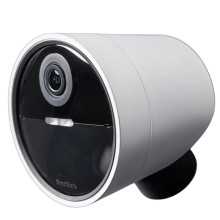
CMOB1
Frequencies
Interface/port(s)
FCC ID
U9K-CM3000
ICID
20992-CM3000
Year
Video Technology
If your SimpliSafe CMOB1 Wireless Outdoor Security Camera is not working correctly, try these quick fixes:
- Camera won't power on: Fully charge the battery and ensure it is correctly installed. This camera will not function with a external power source. The battery has to be in god working order.
- Won't connect to Wi-Fi: Verify you're using a 2.4GHz Wi-Fi network, check your password, and restart your router.
- No live view or recordings: Confirm the camera has a strong Wi-Fi signal, adequate battery charge, and the latest firmware installed.
- Motion detection problems: Clean the camera lens, adjust motion sensitivity, and remove obstructions from the camera's field of view.
- Poor video quality: Clean the lens and verify your internet upload speed is sufficient for HD streaming.
- Still not working? Remove and reinstall the camera in the mobile app, then reset and pair it again if necessary.



