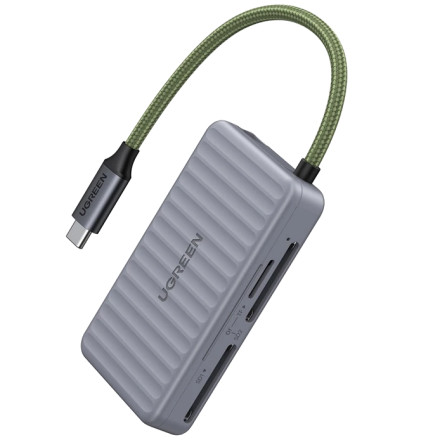
UGREEN CM868 USB-C Card Reader – Troubleshooting USB-C Port Compatibility
The UGREEN CM868 USB-C Card Reader uses a USB-C connection with a USB 3.0 interface supporting transfer speeds up to 5Gbps. However, not every USB-C port provides the same functionality. Some USB-C ports are designed primarily for charging and may not support data transfer, while others support data but are limited to USB 2.0 speeds.
Common USB-C Compatibility Problems
- USB-C port does not support data: Some USB-C ports provide charging functionality without USB data connectivity. The card reader will not be detected if the port cannot communicate with USB devices.
- USB-C port supports USB 2.0 only: The reader may still work, but transfer speeds will be significantly slower than its USB 3.0 capability.
- USB-C port supports charging but not OTG: This is particularly relevant to smartphones and tablets. The device must support USB host functionality or OTG to recognize the card reader.
- USB-C port has limited functionality: Some laptops have multiple USB-C ports with different capabilities. Try another USB-C port if the reader is not detected.
Troubleshooting Steps
- Check USB-C specifications: Consult the computer or motherboard manufacturer's specifications to confirm that the USB-C port supports USB data transfer and preferably USB 3.0, USB 3.1, or USB 3.2 Gen 1 or higher.
- Try another USB-C port: If the computer has multiple USB-C connections, test the reader in another port.
- Test with another device: Connect the CM868 to a computer known to have a working USB 3.0-compatible USB-C data port.
- Check Device Manager: In Windows, open Device Manager and look under Disk drives, Universal Serial Bus controllers, and Portable Devices for newly detected hardware.
- Test another memory card: A damaged, incorrectly inserted, or unsupported memory card can also prevent the reader from accessing files.
- Check transfer speeds: If the reader works but transfers files slowly, verify that the host port and memory card support higher transfer speeds.
Important Compatibility Information
USB-C does not guarantee USB 3.0
The physical USB-C connector only describes the connection type. It does not guarantee USB 3.0 speeds or even data connectivity.
For the best performance from the UGREEN CM868, use a USB-C port that supports USB 3.0 or newer data transfer. If connected to a USB 2.0-compatible port, the reader may function at reduced speeds, provided the port supports USB data.
The CM868 is plug-and-play and does not require a separate Windows driver.



