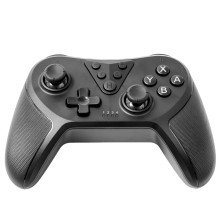
Device
Manufacturer
Model No.
JLR-79884-B
Kmart: 43499731
Target: 70363579
Port(s)
Operating System(s)
How do I pair the Anko JLR-79884-B Gamepad with a Windows PC?
PC Connection Mode
• This handle supports Windows x-input class computer games.
• Wired connection:
PC X-input corresponding to the part of the game can be operated by the wired handle's connection to PC by USB.
1. Connect to PC at the 'Off' condition
2. Press and hold down the "_"and "+" keys at the same time for 3 seconds to switch to the X-input mode. LED2 will turn on and save the Setting.
3. LED 2 light on in PC X-input mode, always on when fully charged, LED blinking in charging status), Windows will automatically install the driver.
For more information please see the User Manual.
📖Documentation/Manuals:



