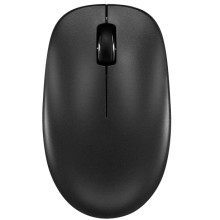
Device
Manufacturer
Model No.
NS-PM3NK3B24
NS-PM3NK3B24-C
Best Buy SKU: 6554649
Also Known As
ns-pm3nk3824 (Miss spelled)
Network Technology
FCC ID
V4P-MS617
UPC
600603304088
Operating System(s)
This mouse requires:
- 1 x AA Battery
- A computer or tablet with Bluetooth
Pairing:
- Press and hold the DPI/Bluetooth pair button on your mouse for three to five seconds. The LED indicator light blinks quickly in pairing mode and turns off when paired.
- On your Bluetooth device, turn on Bluetooth and select Insignia BT 3.0 Mouse or Insignia BT 5.0 Mouse from the Bluetooth pairing list. When connected, a “Pairing success” prompt is shown.
- Note: If both are available, select Insignia BT 5.0 Mouse for a faster connection.
- Press the DPI/Bluetooth button to switch between cursor speeds (800, 1200, 1600)



