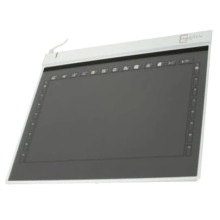
Device
Model No.
WCK-C121
🔋Battery
Interface/port(s)
Year
VisTablet VT12w driver enables Windows to communicate with the graphic pen tablet for drawing and input.
4 quick installation steps:
- Download the
VT-12-V3-48.zipand save it to your computer. - Extract the downloaded
VT-12-V3-48.zipfile. - Run the driver setup program and follow the on-screen instructions.
- Restart Windows, then connect the VT12w and test the pen tablet.
VisTablet VT 12 USB Driver
File: VT-12-V3-48.zip
SHA-256:
e9dbe70984038c3e8c37563e1f3caf7b0c85f749f4e25281cc5b306e76d3eea8
VisTablet VT 12 USB Driver
File: WindowsDriver_VT_B8.zip
SHA-256:
63a0a289f35eb0ad359d139b31c175e663ad746434d24019ffc60e7efd8d5e04
VisTablet VT 12 USB Driver
File: MacDriverForVT.zip
SHA-256:
e5c7a7fd673b13277f751fd495a51ab74dd3c1c012ea93e326302932e17a7702



