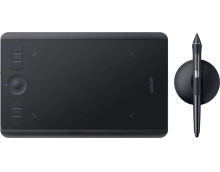
Wacom Intuos Drivers are required to connect any Wacom writing tablet to a Windows or macOS system for freehand drawing to appear on the drawing software that is built into these operating systems. The software is usually supplied on a CDROM and this can cause an issue because most computers now don’t have a CD/DVD drive.
The Wacom devices are the leading drawing tablet on the market, and can be used on most operating systems all you need is a USB port to connect. If you can pick up one of these devices used they are good as well as there is little that really goes wrong with these things other than the obvious wear and tear.
The drivers used for the Wacom powered products are mainly the same for the all models as they use the same USB communication method. There are a number of different brand names that use the Wacom chipset all are marketed differently but they use the same drivers as Wacom branded devices even though they are different visually .
Wacom Tablet Driver
File: WacomTablet_6.4.6-1.exe
4cae495d6e6cc05196d41024bcf6250504be816dd100f240946e4615045f9832
Wacom Tablet Driver
File: WacomTablet_6.4.0-10.exe
93243962ddb17cc499343e4cb2403e50f9f287fb8d46d8244f79e5292c04056b
Wacom Tablet Driver
File: WacomTablet_6.3.44-1.exe
d687b2cce4f338d83c9642c4b2b32967993dcc5d9004d055cc75ec5723b37f09
Wacom Tablet Driver
File: WacomTablet_6.3.40-3.exe
29323a59cef3cbd027db724e926fde95e155348ffc80ee96c7aacf1b49eee201
Wacom Tablet Driver
File: WacomTablet_6.4.6-1.dmg
490808ffe85ac13f32348638597daeea5868dc39d557d0514ad838db54340bf9
Wacom Tablet Driver
File: WacomTablet_6.3.44-1.dmg
c6a25d501be6217fa8596c9e4b9f6d45046ca08e357d5c78d271ea9f37fe842f



