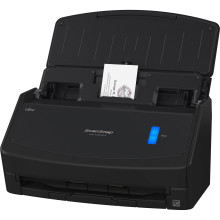
🧱 Device
Series
🏗️ Manufacturer
#️⃣ Model No.
iX1400
PA03820-B235
Interface/port(s)
Operating System(s)
The Fujitsu ScanSnap iX1400 has driver support for both Windows and macOS. Drivers should be downloaded using the Ricoh/Fujitsu website. Direct links below are a shortcut to download the official drivers that are located on their website.
ScanSnap Home Offline Installer 2.20.0 Setup Program
File: WinSSHOfflineInstaller_2_20_0.exe
SHA-256 Checksum:
d1bcbe082e09f26f6bf17c1c8d4766d72796a641722ffe89dbdbbeabdc13985b
ScanSnap Home Offline Installer 2.20.0 Setup Program
File: MacSSHOfflineInstaller_2_20_0.dmg
SHA-256 Checksum:
887fc9b1b80c878d1aec20214aace40b65270da4d7461b4793a2214234a78272
(older version) ScanSnap Home Offline Installer 2.0.30 Setup Program
File: WinSSHOfflineInstaller_2_0_30.exe
SHA-256 Checksum:
82bb315ccf2c58c802cb41856947a98788ba4644f6d694024461d35ea4937b6d
(older version)ScanSnap Home Offline Installer 2.0.30 Setup Program
File: MacSSHOfflineInstaller_2_0_30.dmg
SHA-256 Checksum:
2e546eb922e4fc547395f66a02ba35f0ce8133ea858f29a0fa63b6f559025abe
(older version) ScanSnap Home Offline Installer 1.3.1 Setup Program
File: WinSSHOfflineInstaller_1_3_1.exe
SHA-256 Checksum:
1b5f72fff51f07f9672949140d1c104a0d9d04c0f40873749e19c0065df7ac06
(older version) ScanSnap Home Offline Installer 1.3.0 Setup Program
File: MacSSHOfflineInstaller_1_3_0.dmg
SHA-256 Checksum:
91f8797f71f5ba3850f8f31d35c753261e88b58340e4745fd15f3bef1eedef85



