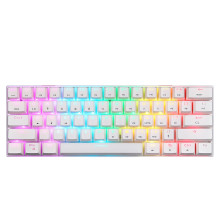
🧱 Device
🏗️ Manufacturer
#️⃣ Model No.
SK62
Frequencies
We are actively trying to find the driver software for this keyboard was distributed as: MotoSpeed-Keyboard-SK62-Setup-V1.0-20221203.zip
This is what the interface looks like:
Image
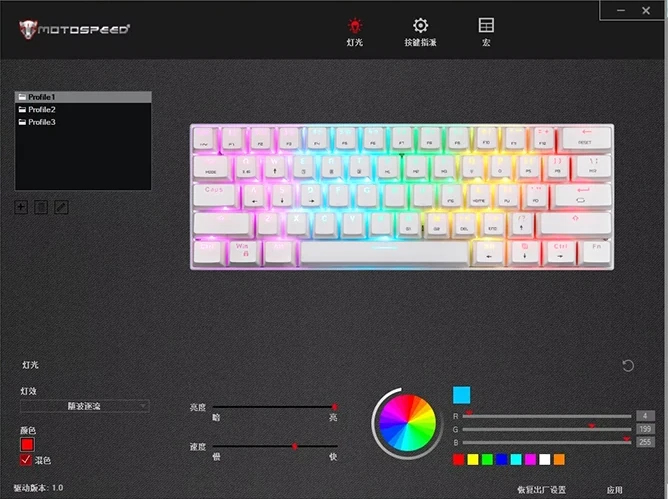
If you have a copy please email us!
FN+E/R/T: Switch between or pair with Bluetooth devices (up to 3 devices).FN+Q: Initiate 2.4G wireless pairing.FN+Y: Cycle through different RGB backlight modes.FN+U/I/O/P: Lighting effect switch, light dynamic direction switch, light color switch, speed adjustment.FN+Win: Lock/Unlock the Windows key.FN+Ctrl: Transcoding function.FN+Backspace: Reset keyboard settings.
Troubleshooting
- Keyboard not connecting via Bluetooth/2.4G:
- Ensure the correct power switch (Bluetooth or 2.4G) on the back of the keyboard is ON.
- Re-initiate the pairing process (
FN+E/R/Tfor Bluetooth,FN+Qfor 2.4G) and ensure your device is discoverable. - Check if the keyboard's battery is charged.
- Try pairing with a different device to rule out device-specific issues.
- Keys not responding:
- Check the connection method (wired, Bluetooth, 2.4G) and ensure it's active.
- If in wireless mode, check battery level.
- Try connecting via USB Type-C cable to see if it functions in wired mode.
- Perform a keyboard reset (
FN+Backspace).
- Issues with Apple (macOS) systems:
- Due to Apple's closed-source system, some shortcut keys or advanced functions may not work as expected. Basic typing and core functions should remain unaffected. This is considered normal behavior.
- Backlight not working or stuck:
- Ensure the keyboard is powered on and charged.
- Try cycling through backlight modes using
FN+Y. - If using customization software, check the lighting settings there.



