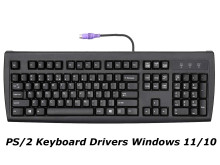
Standard PS/2 Keyboard Drivers are built in to all versions of Windows dating back to the 90’s where this may become a source of confusion is when a keyboard that has extra features is plugged in, and this may require some additional software, maybe some drivers too. If your keyboard was functioning correctly and has suddenly stop there may be something physically wrong with it, if you are able to try it on another computer this my narrow down the possibilities. Also, if you are trying to use your PS/2 based keyboard on a computer that doesn’t have a PS/2 port than a PS/2 to USB adapter may be of use. PS/2 ports became obsolete around 2008 so you will be hard pressed after this time to find a computer with this older technology. Older keyboards often work better than new keyboards due to build quality, so an adapter is must for anyone trying to use on on Windows 11 and Windows 10. If we have any drivers or software that is required for keyboards with extra features we will place links below.
Dritek PS/2 Keyboard to HID Driver
File: dritek-ps-2.zip
2845270c51a9372699d2fa8df1be02cec4c162c92ecb5f09bf59e8e724fccca5
MS Natural PS/2 Keyboard for HP Hotkey Support
File: hp-hotkey-support.zip
32b2b2cf144db3ca40eaf9e9a28c68ffdc552b921285a0855e6384632a10c8c3
Microsoft PS/2 Keyboard to HID Driver
File: ms-ps2-drv.zip
1ac1b552a106286ec7179519be65c90d956bf251af9ed0bfb9d5deab3c3ded90
TOSHIBA Type N HID/PS/2 KB Driver
File: toshiba-ps2-hid.zip
53c66294cfc3a36c7c80b0442d877b4f6a09bbbf84ebf692c93ece3c9f3c753c
HID Keyboard Device Driver
File: microsoft-keys-hid.zip
be667d27723cf350c4c2f65ded599efe947225aa3ca0ec159689589b5daad229



