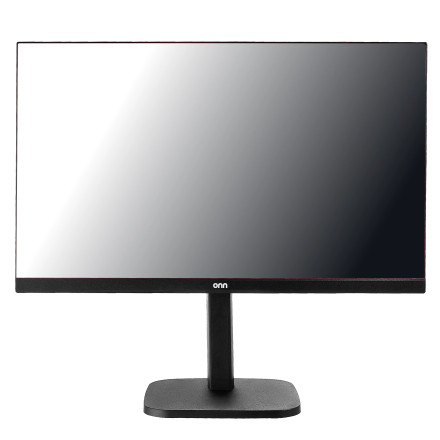
Device
Manufacturer
Model No.
36022489
Interface/port(s)
The onn. 36022489 25" FHD Gaming Monitor is a 24.5-inch 1920×1080 display with up to 200 Hz refresh, AMD FreeSync Premium, HDMI/DisplayPort inputs, and a 3.5 mm audio connection.
Onn 36022489 Monitor Diagnostic Steps
- Check power — Confirm the power cable is firmly connected and test a different wall outlet. If there is no power LED, disconnect the monitor for 30 seconds and reconnect it.
- Check the video signal — Reseat the HDMI or DisplayPort cable at both ends. Try another cable and another monitor input. Select the correct HDMI/DP source using the monitor's OSD menu.
- Test the display — Connect the monitor to another computer, laptop, or compatible device. If the monitor works normally, the problem is likely the original computer, graphics driver, cable, or output port.
- Check Windows settings — Set the display to 1920×1080 and verify the refresh rate under Settings → System → Display → Advanced display. The monitor supports up to 200 Hz.
- Diagnose flickering or artifacts — Try a different HDMI/DisplayPort cable, temporarily lower the refresh rate, and disable/enable FreeSync to determine whether the problem is signal-related.
- Check audio — If using the monitor's speakers or headphone output, select the monitor as the Windows audio output and verify both Windows and monitor volume levels.
- Reset the monitor — Open the OSD menu and restore factory/default settings. A power reset can also resolve temporary control or display problems.
- Determine hardware failure — If the same lines, flickering, dead pixels, distorted image, or blank screen appear when connected to multiple known-good devices and cables, the monitor itself may require service. Avoid opening the monitor; manufacturer troubleshooting guidance generally recommends authorized service for internal repairs.



