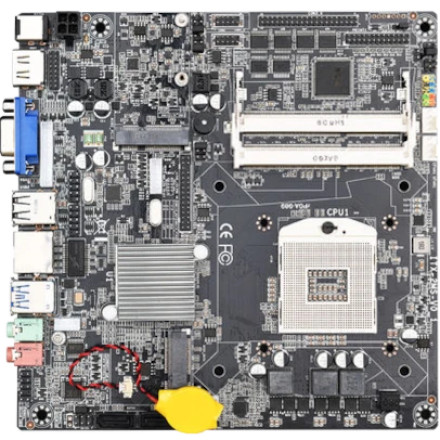
Device
Manufacturer
CPU Socket
RAM (Max.)
DDR3
SODIMM
x2 Slots
16 GB
Interface/port(s)
The JINGSHA HM65 is an Intel HM65 chipset-based motherboard platform designed for compatible Intel mobile processors. Installing the correct drivers helps Windows identify the motherboard hardware and enables onboard audio, Ethernet networking, and other system functions. Available drivers depend on the exact motherboard revision and installed components, so verify the hardware before installing a package.
Available Drivers
- Chipset driver: Helps Windows identify Intel chipset components and associated system devices.
- Audio driver: Enables onboard sound through the motherboard's audio codec.
- LAN driver: Enables the onboard Ethernet network connection.
- Graphics driver: Required for supported integrated graphics or a separate graphics card, depending on the installed hardware.
Driver Installation
- Identify the exact motherboard model and hardware revision, and check which version of Windows is installed.
- Download the matching chipset, audio, and LAN drivers from the motherboard manufacturer's support page.
- Extract ZIP packages and run the included
Setup.exeor equivalent installer. If no installer is provided, use Device Manager to install the compatible INF driver. - Install the chipset driver first, followed by the network and audio drivers.
- Restart Windows and check Device Manager for devices with missing drivers or warning symbols.
🖥️Graphics Drivers:



