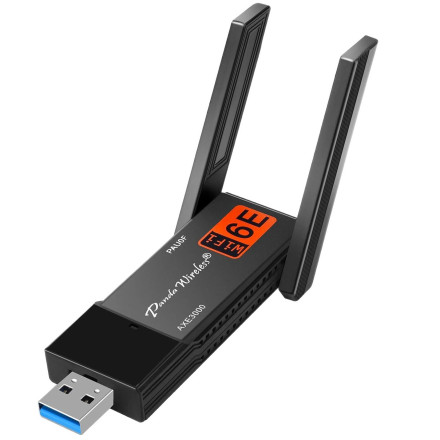
🧱 Device
#️⃣ Model No.
PAU0F
Interface/port(s)
UPC
851860007179
ASIN
B0D972VY9B
The Panda Wireless PAU0F AXE3000 Tri-Band Wi-Fi Adapter uses the WindowsDriver4PAU0F-v1.0.exe installer to install the wireless network adapter driver in Windows. Run the executable and follow the installation prompts. Restart Windows if requested, then connect to your wireless network.
Installation:
- Download
WindowsDriver4PAU0F-v1.0.exe. - Right-click the file and select Run as administrator.
- Follow the installation instructions.
- Restart your computer if prompted.
- Connect to your Wi-Fi network.
The PAU0F supports Wi-Fi 6E, including the 2.4 GHz, 5 GHz, and 6 GHz frequency bands. Access to 6 GHz depends on compatible hardware, Windows support, and regional regulations.
Panda Wireless PAU0F AXE3000 Tri Band Driver
File: WindowsDriver4PAU0F-v1.0.exe
SHA-256 Checksum:
e8c27d2cf6587f7d79ad2b88e9bd963812993794ce7329834b4341f4001c44ea
Panda Wireless PAU0F AXE3000 Tri Band Driver
File: WindowsDriver4PAU0F-v1.0.exe
SHA-256 Checksum:
d03fe4f423436960d16cd54552034bfb481b8121abb969842f68b44409b6eac1



