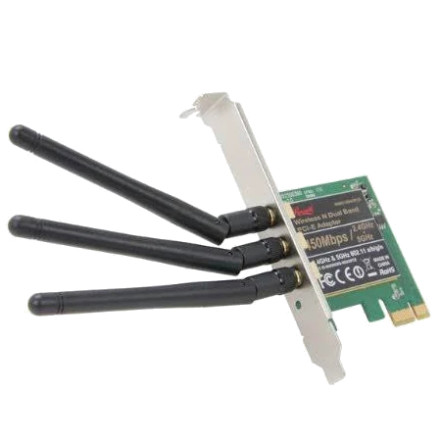
The Rosewill RNWD-N9003PCE is a PCI Express wireless network adapter supporting dual-band 802.11n Wi-Fi connectivity. The Windows 7 driver package is provided in win7-10.0.0.336-whql.zip. This archive contains the driver files needed for manual installation through Windows Device Manager rather than a conventional setup program.
Driver Details:
- Device: Rosewill RNWD-N9003PCE Wireless N Dual Band PCI-E Adapter
- Operating System: Windows 7
- Driver Version: 10.0.0.336
- Package:
win7-10.0.0.336-whql.zip - Installation: Manual INF installation
Driver Installation
- Extract
win7-10.0.0.336-whql.zipto a folder on your computer. - Open Device Manager and locate the wireless network adapter. It may appear under Other devices if the driver is missing.
- Right-click the adapter and select Update Driver Software.
- Choose Browse my computer for driver software and select Let me pick from a list of device drivers on my computer if needed.
- Select Have Disk, browse to the extracted driver folder, and select
netathr.inf. - If the adapter is not detected with that INF, repeat the process using
netathrx.inf.
Important: Both netathr.inf and netathrx.inf are included in the archive. They are separate driver installation files, so Windows may require the appropriate INF depending on the hardware and driver configuration. Do not install both unless Windows identifies the corresponding device.
Troubleshooting
- If Windows reports that the best driver is already installed, try selecting Have Disk to manually specify the INF file.
- Make sure you extracted the ZIP archive before browsing for the INF files.
- If installation fails, check the adapter's Hardware IDs in Device Manager to confirm that the driver supports your particular hardware revision.
- Restart Windows after installation and check that the wireless adapter appears under Network adapters.
Qualcomm Atheros 10.0.0.336 Driver
File: win7-10.0.0.336-whql.zip
415400a990dc4366c7fee8f3047672715979366025e45f206e27cb0eece30a70
Qualcomm Atheros 10.0.0.38 Driver
File: Wireless LAN_Atheros_10.0.0.38_W7x64_A.zip
97983260df962a90d2a77f01619937837c0a507d182aec86254dc087a11ba4d8



