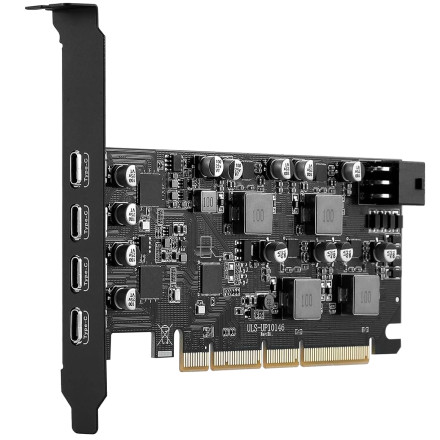
🧱 Device
🏗️ Manufacturer
#️⃣ Model No.
ULS-UP10146
CPU/Chipset(s)
Interface/port(s)
ASIN
B0GL5HRLWX
Operating System(s)
The YEELIYA ULS-UP10146 is a PCI Express USB 3.1 expansion card designed to add high-speed USB connectivity to a desktop computer. Supporting transfer speeds of up to 10Gbps, the card uses an ASMedia USB host controller and requires the appropriate driver for Windows to recognize and operate the additional USB ports.
Driver Installation
- Download
ASMUSBHost_V116601WHQL.zipand save it to your computer. - Right-click the ZIP file and select Extract All to unpack the driver files.
- Open the extracted folder and locate the driver installation file (Setup.exe), if included.
- Run the installer and follow the on-screen instructions.
- Restart Windows if prompted to complete the installation.
Note: The YEELIYA ULS-UP10146 must be installed in an available PCIe slot. A compatible motherboard PCIe connection and USB 3.1 device are required to take advantage of the card's advertised 10Gbps transfer speeds.



