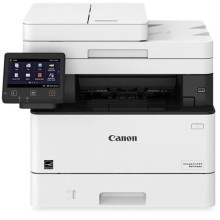
🧱 Device
Series
🏗️ Manufacturer
#️⃣ Model No.
MF450
Operating System(s)
The Canon i-SENSYS MF450 Series drivers enable printing, scanning, copying, and fax functionality for compatible multifunction laser printers. Installing the latest drivers ensures reliable performance, full feature access, improved compatibility, and bug fixes for Windows and macOS. Canon also provides scanning utilities and management software to simplify device setup, maintenance, and everyday office productivity.
Quick Install
- Download the correct MF450 Series driver.
- Run the installer.
- Connect the printer via USB or network when prompted.
- Complete the installation wizard.
- Print a test page to verify operation.



