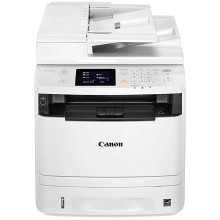
🧱 Device
Series
🏗️ Manufacturer
#️⃣ Model No.
MF410
imageCLASS MF414dw
imageCLASS MF416dw
imageCLASS MF419dw
imageCLASS MF515dw
The Canon MFP MF410 Series driver provides Windows support for compatible Canon multifunction laser printers in the MF410 series. The driver package is provided as MF410MFDriverV4902WPusEN.exe and includes the software needed to install and use the printer and multifunction features.
Quick Installation
- Download MF410MFDriverV4902WPusEN.exe.
- Right-click the file and select Run as administrator.
- Follow the Canon driver installation instructions.
- Connect the MF410 Series printer when prompted, or select the appropriate connection method.
- Complete the installation and restart Windows if prompted.
Canon imageCLASS MF419dw/MF416dw/MF414dw MFDrivers (UFR II/PCL/PS3/FAX /ScanGear)
File: MF410MFDriverV4902WPusEN.exe
SHA-256 Checksum:
c1c5055f92d0038dc413afca50da81a9b479a8e89030436dff52f367df0283ef
All Model numbers for this device
imageCLASS MF414dw
imageCLASS MF416dw
imageCLASS MF419dw
imageCLASS MF515dw



